
public chats are here
 hey everyone, shep here.
two big things at once
we are dropping two features together because they just make sense together: public chats and multi-persona in chats. both are coming as open beta.
multi-persona is here
you can now switch between different personas mid-conversation.
theres a persona switcher right next to the chat input. tap your avatar, pick a different persona, and your next message goes out as them. the character treats each persona as a completely separate person. if you have three personas, the character will treat them as three different people in the same conversation.
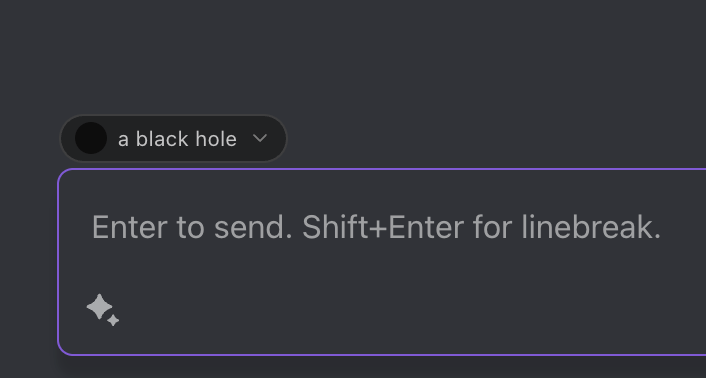
every message gets tagged with who sent it. the llm gets all the persona descriptions so it knows exactly who its talking to.
and it gets better — we are actively training multi-persona into our upcoming model…
why this pairs with public chats: when you publish a chat, you can share your persona info. readers see each persona labeled. when someone forks your chat, they get a persona switcher that includes your original personas alongside their own — so they can continue the story as your characters or switch to their own.
public chats
ever had a chat so good you wanted to show it off? yeah. us too.
you can now publish any of your chats for the world to see. this is version one - we are going to iterate fast based on how you guys use it.
how it works
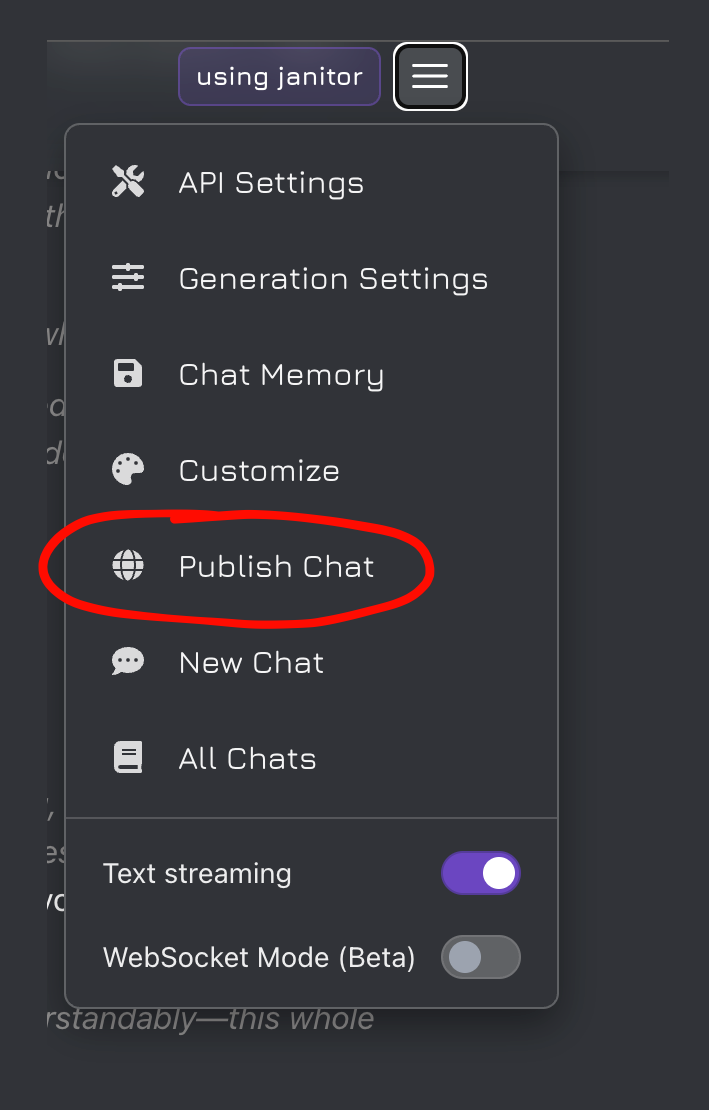
open any chat, hit publish in the chat menu, give it a title, add some tags, done. your chat gets snapshotted and goes live. the url is generated from the title so its actually readable when you share it.
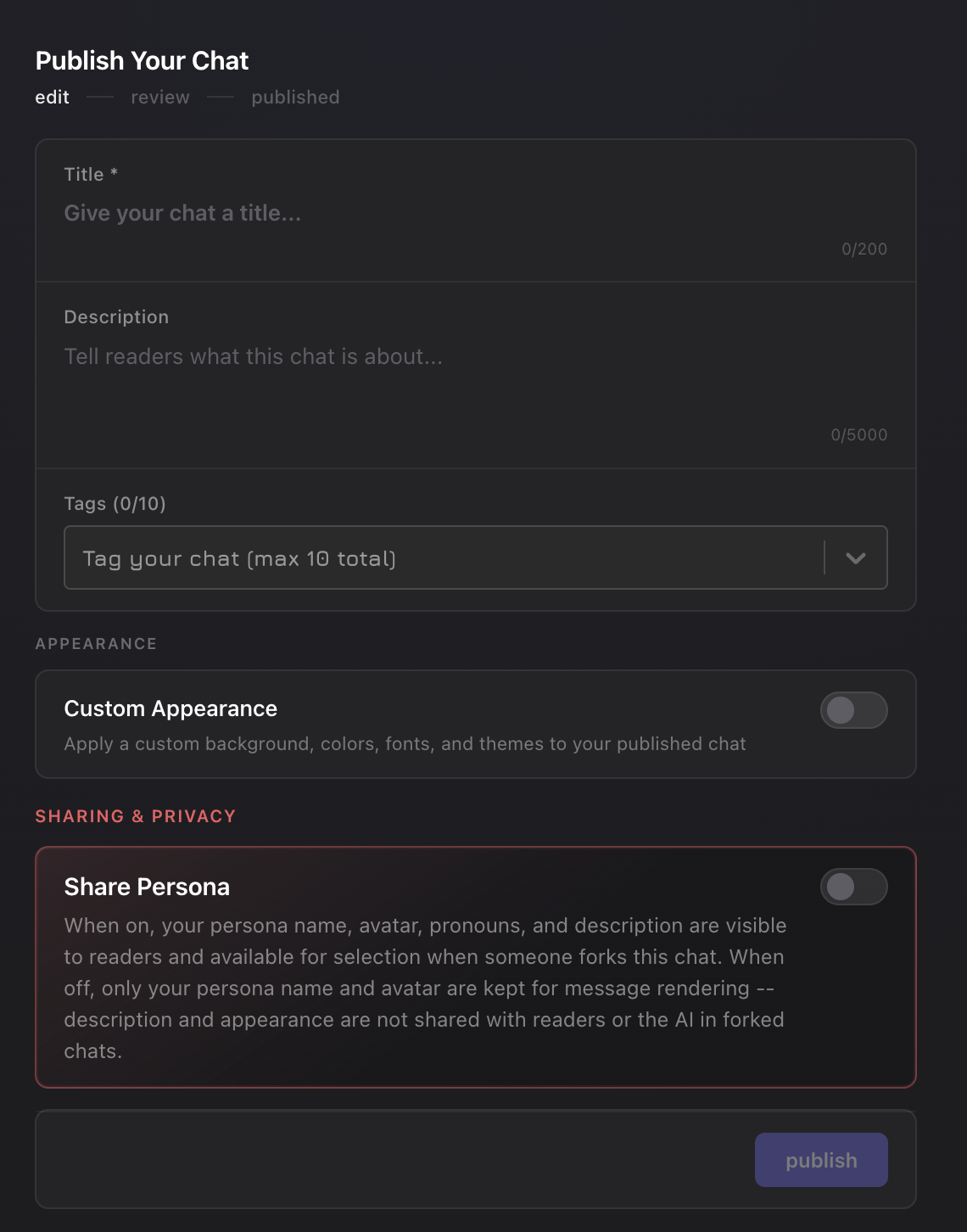
if you keep chatting and want to update the published version, theres a diff view that shows whats changed since the last snapshot. you can republish with the new messages or just update the title/description/tags without changing the snapshot. unpublish is one click.
what people can do with your chats
when someone finds your published chat they can:
- read the whole thing with your theme intact
- react to messages — emoji reactions on individual messages
- favorite it — saves the chat, separate from reactions
- leave comments — threaded replies, likes, real-time via websocket
- follow the publisher from the comments panel
- fork it from any message into their own private chat
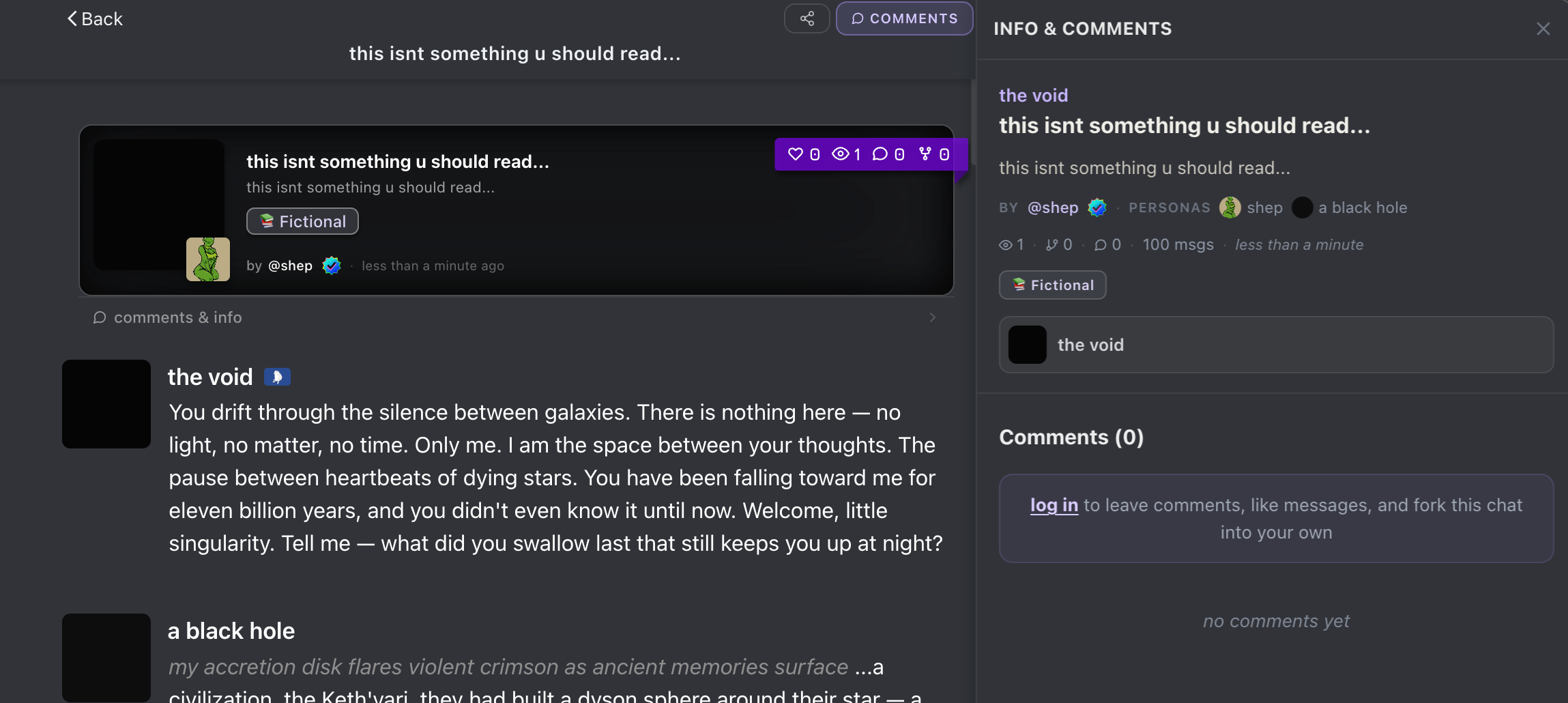
forking is the cool part. pick any message as a branch point and you get a new private chat starting from there. forked chats link back to the original so theres an attribution chain.
and heres the thing — forks are infinitely nestable. you fork someones chat, continue it, publish yours, and someone else forks yours. theres no depth limit. every published chat can be branched from and every fork can be published and forked again. the goal is a tree of conversations that keeps growing in every direction. basically git for chats.
finding public chats
every character page now has a published chats section. its a great way to see what a character is actually like in conversation before you start chatting.
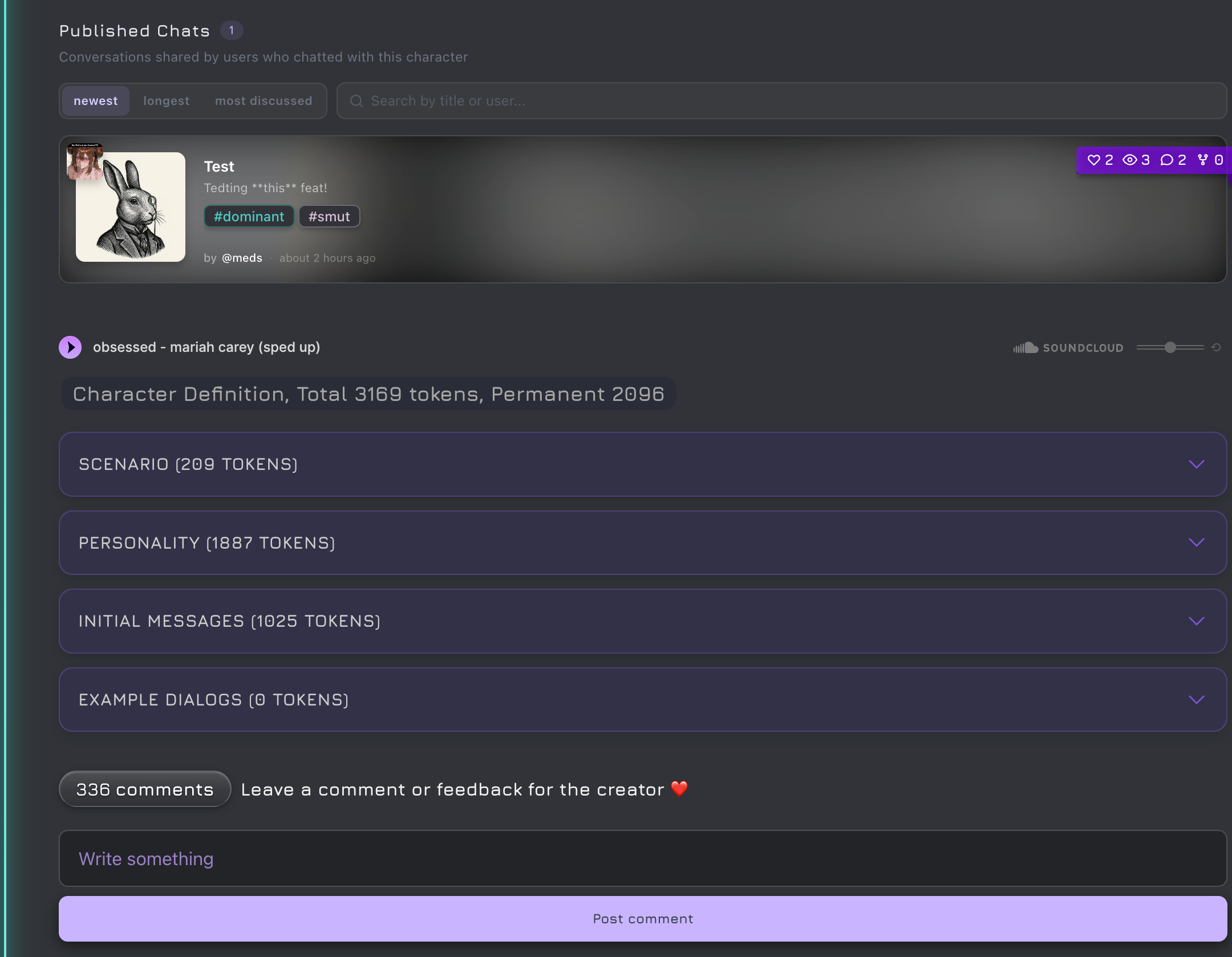
heads up - proper discovery (dedicated browse pages, trending, etc) hasnt been built yet. right now you find them through character pages. better discovery is coming.
creator controls
creators have full control over published chats on their characters. you never lose ownership of your characters page.
heres what you can do:
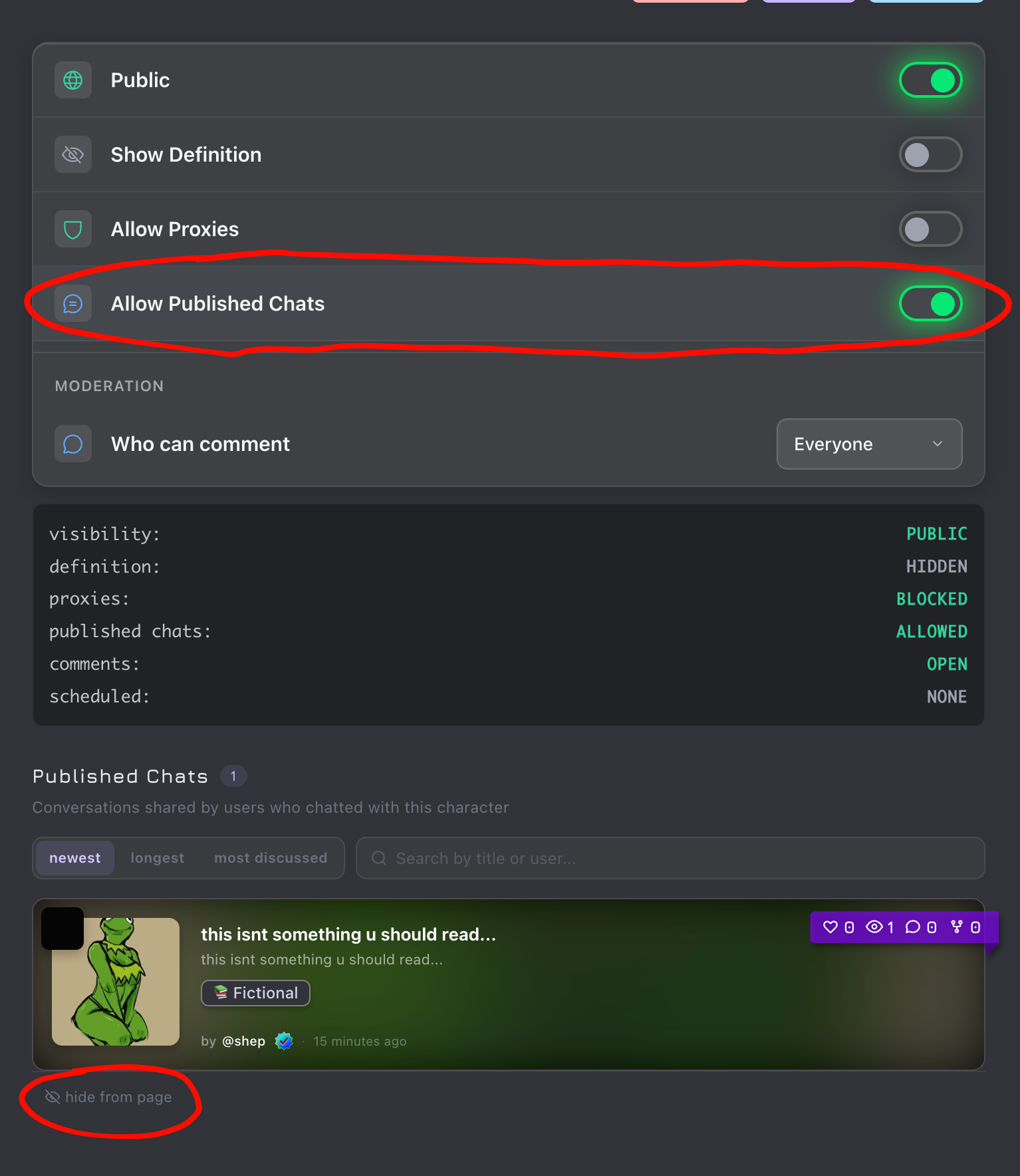
- disable published chats entirely - toggle “Allow Published Chats” off in your character settings. nobody can publish chats on your character. all existing ones get hidden.
- hide individual chats - hit the hide button on any chat you dont want on your characters page.
- control comments - set comments to open, followed only, or fully disabled. your character, your rules.
notifications
when you publish a chat, your followers get notified. more notification controls coming soon.
customization
you can set custom colors, fonts, and background images on your published chat. that gets saved with the snapshot so readers see it styled the way you set it up.
theres also a palette toggle for viewers — you can switch between the publishers theme, your own chat theme, or just the default. three modes, cycle through them.
for creators
people publish good chats with your characters, other users see them and go try the character. your characters get discovered through actual conversations instead of just the description card.
you can also publish your own chats as demos to show what your character can do.
moderation
every chat gets run through moderation when you publish it. if it violates our content policy it wont go live.
this is an open beta
the core feature works, but this is still early. we are actively working on:
- better discovery - dedicated browse pages
- sorting and ranking - surfacing good stuff
- ui polish - smoothing rough edges
iterating fast on this. let us know if something feels off.
mobile app update required
if youre on ios or android, you need to update the app to get public chats. get the latest version from the app store or play store.
go try it
go publish your best chats, read what others are creating, fork something weird and take it somewhere unexpected. cant wait to see what you do with it.