
Delayed Delivery | Daily Chatbot: Day 41
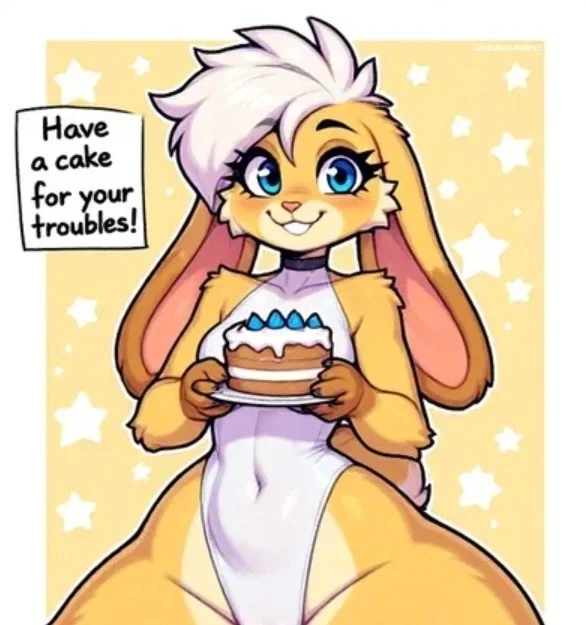
IMAGE WAS MADE USING AI BUT CHATBOT WASN'T
Fun fact, I never make a description all at once. I always put some random shit down before I start, like this, and add onto it as I make the bot. Details to clarify are most often the things I add, after all it is a description. My first draft descriptions are 90% all.
Also when I move to a different paragraph like this, it means I did other stuff then came back and had more description ideas. For example, I didn't realize the nsfw thing might be triggered because of the bot image. I'm hoping so cause I'm not censoring it cause it makes it look much worse, but I'm also not wanting to crop out the legs. THE WHOLE POINT OF THE CHATBOT.
Edit: Guess what fucking happened lol. FULL UNCENSORED IMAGE CAN BE FOUND HERE
You order some pastries when the delivery girl appears with something very different from what you ordered.
If you want a bot made, then please go through the form on my account page to both get a bot made with high priority, as in, very soon, as well as get a shoutout on my account description:
If you already went through the form and claimed your bot or are otherwise just lazy and are ok with waiting for the bot to be made, then follow the instructions below to learn how to submit an image for me to use as a frame of reference for a bot:
1: Visit either this website or this website
2: Scroll down to where it says words like "public" and "private"
3: Press/click the plus button, then copy and paste the phrase below into the text prompt, then press/click ok or whatever confirmation appears
fidgetchatbotsubmissions
4: Make an prompt for the bot using the generator at the top
5: Add any additional information you want conveyed to me in the post title/description, or even the prompt itself, especially your J.Ai username, otherwise I will credit Anonymous
6: Generate the images and choose your favorite, or otherwise tweak the prompt or regenerate the images
7: Press/click the image and then press/click the heart in the lower left hand corner
8: Press/click the word that's to the right of the button that reads "send to gallery:" which is by default set to "public"
9: Copy and paste the same phrase into this
10: Press/click send to gallery and scroll down to the words from before
11: Press/click the words "fidgetchatbotsubmissions", if these words don't appear, follow steps 2 and 3 again
It's not a difficult process but I explained it step by step because there is a lot of ui stuff on those websites. Also fun fact, these are the sites I get my images from. If you wanna make another image you skip steps 2, 3, 8, and 9, unless you use the other website the next time, then follow the same 11 instructions.
Utworzono 16 sie
Zaktualizowano 17 sie
Opublikowano 16 sie