
Late night in snake woods | Daily Chatbot: 48
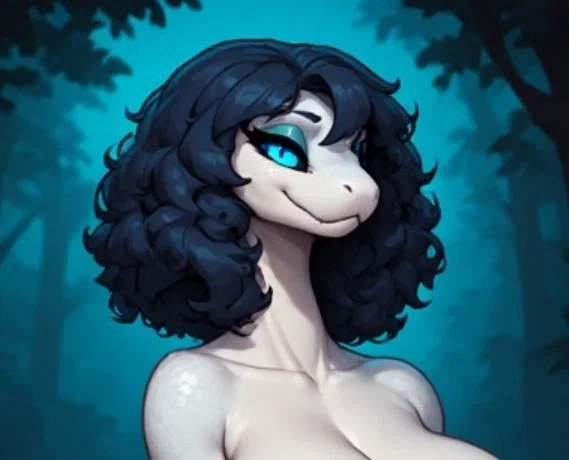
IMAGE WAS NADE USING AI BUT CHATBOT WASN'T
So you know how I said I should be able to work on stuff so long as I wasn't busy Sunday? Uh oh, looks like Sunday was THE BUSIEST DAY! Damn it man. Anyways, making this bit extra early so I can work on bot 50. Once 50 is done if I have motivation I will try to see how many bots I can make for over the trip itself, which is realistically like four if I don't lock the in.
Either way, quick and easy bot today because I got a lot more to do. Hopefully you still enjoy it though. No real defined actual personality either, like likes and dislikes and opinions and all that, I couldn't decide. Sorry.
You end up going on a walk through snake woods late at night. I wonder why they call it that?
If you want a bot made, then please go through the form on my account page to both get a bot made with high priority, as in, very soon, as well as get a shoutout on my account description:
If you already went through the form and claimed your bot or are otherwise just lazy and are ok with waiting for the bot to be made, then follow the instructions below to learn how to submit an image for me to use as a frame of reference for a bot:
1: Visit either this website or this website
2: Scroll down to where it says words like "public" and "private"
3: Press/click the plus button, then copy and paste the phrase below into the text prompt, then press/click ok or whatever confirmation appears
fidgetchatbotsubmissions
4: Make an prompt for the bot using the generator at the top
5: Add any additional information you want conveyed to me in the post title/description, or even the prompt itself, especially your J.Ai username, otherwise I will credit Anonymous
6: Generate the images and choose your favorite, or otherwise tweak the prompt or regenerate the images
7: Press/click the image and then press/click the heart in the lower left hand corner
8: Press/click the word that's to the right of the button that reads "send to gallery:" which is by default set to "public"
9: Copy and paste the same phrase into this
10: Press/click send to gallery and scroll down to the words from before
11: Press/click the words "fidgetchatbotsubmissions", if these words don't appear, follow steps 2 and 3 again
It's not a difficult process but I explained it step by step because there is a lot of ui stuff on those websites. Also fun fact, these are the sites I get my images from. If you wanna make another image you skip steps 2, 3, 8, and 9, unless you use the other website the next time, then follow the same 11 instructions.
Created Aug 24
Updated Aug 24
Published Aug 24