
Lorebook Breakdown
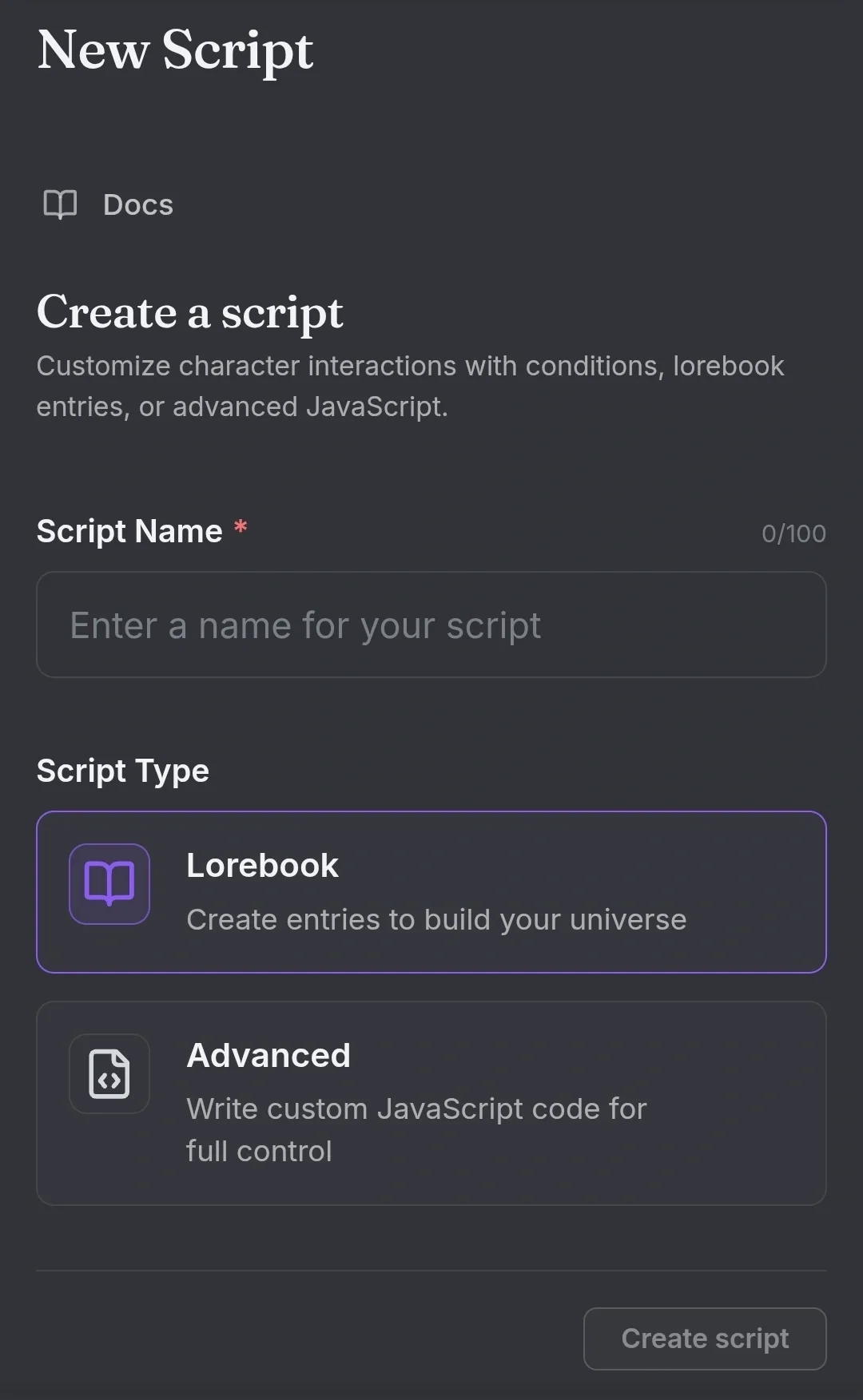
Ello! I've been experimenting with lorebooks for the past 2 months now, so now I'm handing over my knowledge to y'all. I'll be referring to my lorebook, the Medical/ER Basic for any examples
I'll be going top to bottom while putting *** [name] *** next to anything important!
The creation section
Script Name - The display name doesn't affect the script and can't be searched by it. Can be changed as many times as you want with no time limit
Script Type -
lorebook is the simplified version of the Advanced, more user-friendly, and won't yell at you when you put something in the wrong place.
Advanced, similar to writing code, and won't let you save your work till you find the problem in it
Theme - changes the color box of a lorebook when shown on a bot, chooses between 11 oddly specific colors.
Description - There are two of them, and don't be confused. The one next to where you can change the color of the lorebook, this is the grayer one. While the About this script can only be accessed by the main page. If left untouched, it will just repeat the above.
Image - If you hate the coloring system, you can add an image instead! Beware that it will stretch out the image if it doesn't fix the ratio.
*** Message depth *** - Set at 3 by default. This is how many messages the lorebook will run itself and the bot against. 1 will only check the user's newer message, while 2 will check both user's and the bot newer message.
Setting it at 1 will only check the user's newer message and nothing else, making it seem like the bot lacks any memory. While setting it at 10 will make it run through those messages, making the bot act out more often, sometimes even repeating the same few words till the user stops it or the bot runs out of tokens.
Making entries
Entries have a priority system where, by default, the top entry has the most sway over the lore book compared to the bottom.
Tags - They are only used for organization and do not affect the priority system. There are preset tags, but you can also make your own. It's good for bigger lorebook
Entry Name - Again, the book doesn't see this and is only used for organization and finding them. The entry keys/comments will also show up next to it when the entry is in its closed stated
Entry comments - small little note to add to an entry, the bot won't see this, I personally used them to surmise what I put in the entry in case I forgot
*** Keys *** - Think of keys as the activation words for each entry. An entry will only play out with the User's types out a set of words into their messages. For example, for my Medical/Er basic lorebook, I add symptoms as some of the keys, with their different spelling and acronyms.
Secondary Keys - Used for include and exclude the entry when multiple entries are at play.
-And All, all keys in the secondary must be hit to be included.
-And Any, at least one key must be hit to be included.
-Not All, all keys must be hit to exclude entry.
-Not Any, at least one key must be hit to be excluded
Placement - It's default at first. This means it affects the entire bot as a whole, instead of just one section. Personally, Scenario and Exmple Diaglog are also options. When selecting one of them, it will only affect that part of the bot and will not be able to effect the rest.
Position - This affects if the lorebook goes before or after the bot's own tokens. By default, it's after, and can only be changed if you change the placement of the lorebook to be one of the pther three.
*** Content *** - This tells the entry what to do when the keys are hit. How to make a Char feel or make the bot do a set of action. Like, making a Char react like a doctor would when User has a set list of symptoms.
Best to leave theses bullet points or short paragraphs
Depth - Each entry depth can manually be changed. Allowing for the lorebook to remember a constant with a higher depth or to allow it to be more flexible with a lower one. I personally use a depth of 6 for things like medical aids (hearing aids, walkers, ect...), while using a depth of 3 for tests (CBC, EKGs, ect...)
--
--
Tips for Events
1# When making an event key, make sure to add in contents 'when given (key) do the following: ____', tho this may seem stupid, it will get the AI a direction to go. This line also make it to were certain keys have an 100% possibility of happening instead of the 70ish% it usually is
1.5# To add to 1#, make an event in the same contents 'when given (new/reroll key) reroll the following: ____', Lorebooks are bad at repeating the same picks they did the frist time if the message is just regenerated, it allows the user to move on if they do like the event choosen for them
2# Lists are your friend when setting up randomized events. Example, when useing the lines above one of the following was a 'Case type', later in the same contents box lay out different case types under 'Case type'
Case type
-case type 1#, explain in two short sentences
-case type 2#, explain in two short sentences
repeat as needed
3#
Created Jul 29
Updated Oct 16
Published Jul 30