
CSS AFTER THE SCREAM ✕ Slasher Horror CSS
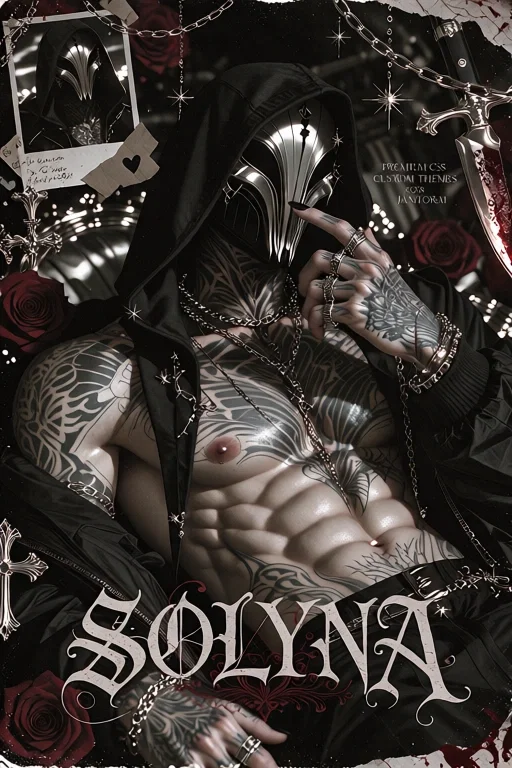
GUYS, THIS IS NOT A BOT 😭
Finally sharing my slasher-inspired CSS! 🖤 I wanted to give this one a dark, cinematic 90s horror vibe with crimson accents, glitch effects, vintage VHS details, and a masked character cutout. There's a lot of little details to explore, so I hope you enjoy it!
✦ Links
Live Preview: @SOLYNA
Shop: SOLYNA'S SHOP
✦ CSS Features & Specs
🩸 Dark slasher-horror aesthetic with crimson red, charcoal black, and muted off-white
🔪 Dramatic hero section with a large character cutout and animated visual effects
🎧 Interactive cassette mixtape with selectable tracks and animated sound waves
🗝️ Expandable menus for personal information, boundaries, rankings, and more
📼 VHS-inspired series showcase for your stories and bot collections
🖼️ Interactive evidence wall with image cards and a rotating 3D-style display
☎️ Voicemail panels for messages, contact links, and commission information
🖤 Customizable survivor cards for friends, mutuals, or favorite creators
👁️ Hidden details, expandable messages, and interactive elements
✨ Glitch effects, hover animations, rotating elements, and other atmospheric details
📱 Responsive layout adjustments for different screen sizes
🎨 Customizable images, text, music details, links, and profile information
✦ How to Install
Get the CSS code from the Google Drive link below.
Copy the complete code.
Open your JanitorAI profile and go to Settings → About Me.
Paste the code into the appropriate area.
Save your changes and refresh your profile to check the result.
Replace the placeholders with your own images, text, music information, and links!
✦ Customization Tips
🖼️ Images: Replace the image placeholders with your own image links. Use direct image URLs where required.
📝 Text: Personalize the profile sections, descriptions, messages, and headings.
🎧 Music: Customize the track names and related information in the cassette section.
📼 Series: Update the showcase with your own series titles, descriptions, tags, and links.
🖤 Survivors: Replace the sample images, names, and links with your friends, mutuals, or favorite creators.
🎨 Colors: You can adjust the theme's colors in the CSS if you want to experiment with a different palette.
✦ Important Notes Before Editing
Keep a backup of the original code before making changes.
Replace the designated placeholders rather than deleting random parts of the code.
Be careful not to remove important HTML tags, quotation marks, brackets, or class names, as these may affect how the sections work.
Use direct image links when replacing image placeholders.
After editing, save and refresh your profile to check whether everything displays correctly.
Please remember that some elements may look or behave differently depending on your device or JanitorAI's current interface.
✦ Need Help? 💌
If you have questions, need help customizing the CSS, or encounter any errors or broken features, please don't hesitate to leave a comment or message me here on Discord! I'll do my best to help and fix any issues I can.
Thank you for checking out my work and supporting my little CSS corner. I hope you have fun making this theme your own!
✦ Want to Commission a Custom CSS? 🖤
Have a theme idea you'd love to see come to life? I'm open to CSS commissions! If you're interested in having a custom profile designed just for you, check out my commission information below.
💌 Commission Info: COMMISSION FORM
Let's bring your ideas to life! 🔪🩸
Created Oct 28
Updated Oct 28
Published Oct 28