
Where is my next bot????
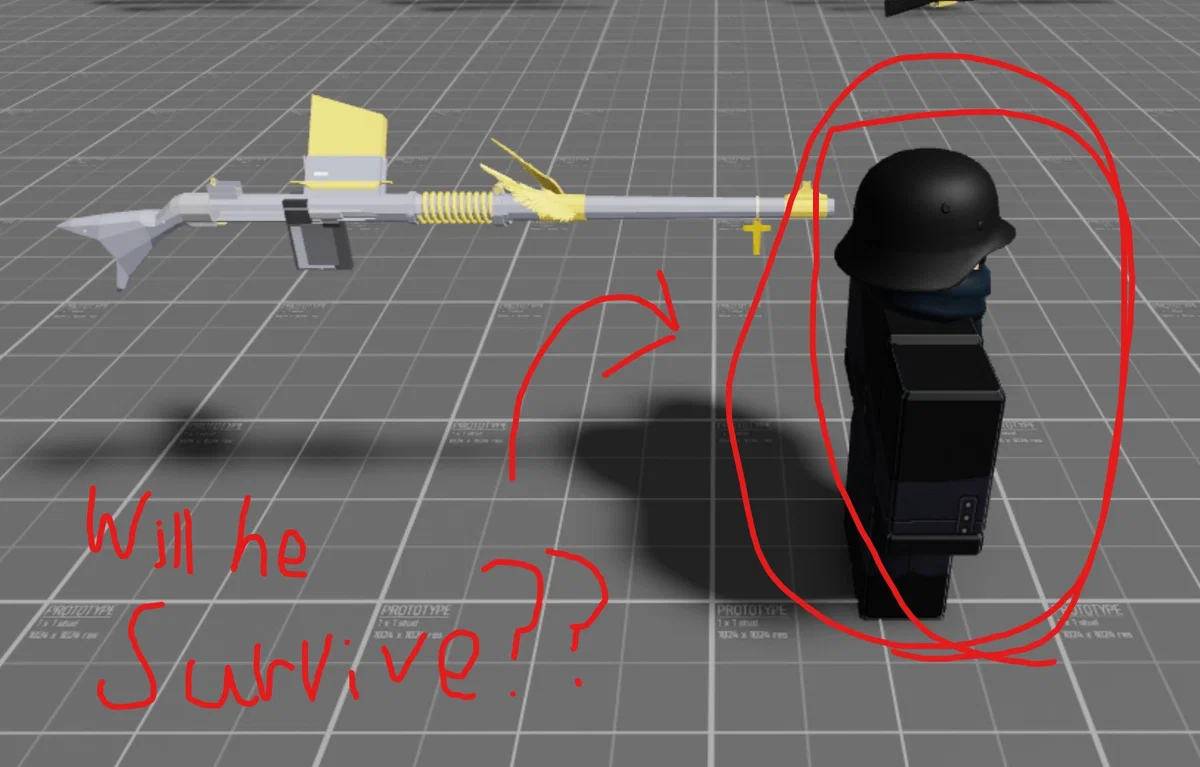
So, About my next bot. I finished intro and then i proceeds to forgot and waste my life on unlocking 'hope'
When is the bot gonna be out? Probably in the next 20 years. so enjoy there recipe for unlock hope.
'Hope' Easter Egg Questline
This part of the article will be used as a guide to all the steps necessary for each skin, as well as the rest of the easter egg.
It's repeatedly important that this is followed through to its end. The majority of the steps are recommended to be done in private servers, considering the commands embedded in the game's code for these servers will make maneuvering through the easter egg a lot easier than in public servers.
It's to be noted that after a completion of each chapter, progress will be saved so that you will not be forced to repeat the steps. However, its to be reiterated that the steps be done in the order as provided in this article, otherwise they will not work at all.
Chapter I - 'Sacrifice' Combat Knife Skin
STEP 1:
The radio in the Royal Nation's base, near the entrance.
Switch to the Royal Nation team, make your way to the table with the radio located near the Royal Nation base entrance, and click the left knob 24 times.
STEP 2:
Immediately after, a distorted, womanly voice will repeat the vowel sounds 'O' and 'A'. These vowel sounds will be voiced in a specific order, in which is the order you will need to click the left and right knobs on the radio.
The vowels will be repeated 8 times in each sequence, for a total of 5 sequences. Shown below are the most relevant orders in which the vowel sounds will be heard, and what knob to be clicked:
'OAOA...' = Right knob
'OAOO...' = Left knob
It is heavily implied that the knobs be clicked in the correct order, otherwise you will fail this chapter of the easter egg and be forced to restart.
Advertisement
STEP 3:
Once you have the sequence, you must click the knobs in that specific order. To reiterate, it is heavily implied that the knobs be clicked in the correct order, otherwise you will fail this chapter of the easter egg.
For example; If you were to hear 'OAOA,' 'OAOO,' 'OAOO,' 'OAOO,' and 'OAOA,' the sequence to be input onto the radio would be Left, Right, Right, Right, and then Left. Afterwards, a distorted voice will play for a few seconds, an unnerving song following after, and one of the lamps to the direct left of your position will be flickering a message in morse code.
STEP 4:
The specific message from the flickering light will always be random, and it's the message to be said in server chat. Not many people are fond of morse code, so luckily all the possible solutions have already been solved. If you feel inclined to do the morse code solution yourself, then more power to you.
Shown below are the list of known solutions to say in server chat:
NOHEAVEN
ICANTSLEEP
WAKEMEUP
ITSALIVE
NIGHTMARE
WARNEVEREND
Note: The order in which these are to be said is non-specific. However, they must be done exactly as shown above, otherwise none of them will work. It's implicated by many to do all of them.
The beds in the Royal Nation base. The mouse cursor is pointing to the one hiding the box.
STEP 5:
Once you have said the solution(s), make your way to the bed furthest from the lamp on the side closer to the center of the base, shown on the inserted image to the right, and click on it to reveal a box.
Clicking on this box will open it, revealing a knife with a rustic design. This will be the 'Sacrifice' Combat knife skin. To obtain it, click on the knife.
Advertisement
Note:
To permanently unlock this knife skin, you will need to have 2 kills on the Combat Knife. This is implied to be objectively easy, especially when wandering tunnels throughout the game in public servers.
Chapter II - 'Escape' Prince Rifle Skin
STEP 1:
Unlock and equip the 'Sacrifice' Combat Knife skin. It will be required for the last few steps.
STEP 2:
Switch to the Golden Empire team with Shocktrooper mode turned on and equip the Radio Trooper. You will not progress if you are any other Shocktrooper, nor if you are none at all.
The radio in the Golden Empire base.
Then, make your way to the radio in the Golden Empire base, and click on the left knob 5 times. Once done correctly, the backpack on your Radio Trooper as well as the radios will begin to play out morse code.
STEP 3:
Immediately, when you hear the morse code, a vinyl record disc will spawn in one of two locations on the compounds Manufacturing, Warehouse, Assembly, Barracks, and Outpost. The morse code playing on the radios possibly indicates the location as to where the disc will spawn, but this is to be further researched and cited.
The locations as to where the discs will be located for each of the compounds are as shown:
[TO BE FURTHER EXPANDED (Halted due to upload rate limit; watch this video for the locations)]
STEP 4:
The 'Escape' Prince rifle skin resting on the cross. Beneath is a message that reads "PLEASE STAY YOU ARE SAFE HERE."
Collect the disc, return to the Golden Empire base, and input the disc into the gramophone. Afterwards, you will hear an opera being played for roughly half a minute, before cutting to complete silence. It's important to use the gramophone, otherwise you will fail this step.
Note: After collecting the disc, DO NOT reset character, leave the game, or let a member (if any) of the Royal Nation collect the disc. You will lose the disc and fail this step, and will be forced to repeat it.
Advertisement
STEP 5:
Set the game mode to Control and skip the current round. Afterwards, use the free cam command to search for a Shocktrooper kit spawn location indicated with a cross. You will need to mine your way to this kit.
STEP 6:
Once you've made your way to the location, a rifle wrapped in what seems to be red rope will be tied to the cross.
With the 'Sacrifice' skin equipped on your Combat Knife, click on the red rope with an open hand, and then collect the rifle to obtain the 'Escape' Prince rifle skin.
Note:
The rifle can only be cut with the 'Sacrifice' Combat Knife skin equipped. If there is a pop-up text that states "My knife isn't sharp enough..." then you do not have the 'Sacrifice' equipped. The location is indefinitely the same within the current round, and resetting your character will not cause it to despawn.
To permanently unlock this rifle skin, you will need 17 kills on the Prince rifle.
Chapter III - Cursed
STEP 1:
In a private server, force the points to the compounds Outpost, Manufacturing, and Barracks. These will be the main compounds in which caltrops will be present in each of these points.
STEP 2:
With the 'Escape' Prince rifle, shoot and destroy the caltrops located in the compounds.
The locations for the caltrops are as follows:
On top of the watch tower in the Outpost.
On top of one of the catwalk tunnels in the Manufacturing.
Inside of the sleeping quarters in the Barracks, on top of a support beam.
If you do not have the 'Escape' skin equipped, you will not be able to destroy the caltrops.
Advertisement
STEP 3:
Once all of the caltrops have been destroyed, force two of the points to the compounds Processing and Grave, then skip the round.
STEP 4:
At the compound Processing, make your way to the area that has a stone pile and a shovel lodged into said pile. You will need to grab the shovel.
Afterwards, make your way to the next point over, which is the Grave compound.
STEP 5:
Once at the Grave compound, dig around the point until you find the cache. Next to it, there will be a grave marked with a cross, brandishing the dog tag "Wells" as well as a dirt pile in front of it. Use your shovel to dig the grave.
The 'Cursed' perk and its description.
STEP 6:
After defiling the grave, you will see a skeleton and a Rook mask, Wells' main division as part of the story, as well as a text indicating "I shouldn't have done that."
If you have done these steps correctly, you will now have unlocked a new perk called 'Cursed.' This will remove all other perks and be indefinitely locked to your set perk on any division, giving you an effect similar to when encountering a Geist Trooper, until you 'cleanse' yourself of it.
STEP 7:
To cleanse yourself from the 'Cursed' perk, you must do 17 more kills with the 'Escape' Prince rifle and 2 more kills with the 'Sacrifice' Combat Knife. All kills must have all damage credited towards you and only you.
This can be done in one of two ways:
In a private server, have an alternate account or a friend join in any private server of your choosing, and with the skins equipped, get the kills necessary. Or:
In a public server with the skins equipped, get 17 Prince rifle kills and 2 Combat Knife kills. Remember: All damage from these kills must be credited towards only you.
If done successfully, a text will appear stating "I feel a weight has been lifted off my shoulders.." which will cleanse you from the 'Cursed' perk, removing it from your currently equipped perks, negating any effects it had, and bring all of your perks back as it was from before. You will have to re-add any perks from the divisions affected, if applicable.
Advertisement
Note:
None of the perks will be re-locked upon obtaining the 'Cursed' perk and you will retain all of your currently unlocked perks upon completing this chapter.
Chapter IV - Prayer
STEP 1:
After being cleansed of the 'Curse' perk, head back into a private server (if not already,) force the first point to the Barracks compound, and skip the current round.
STEP 2:
Assuring you are on the Golden Empire team, make your way to the sleeping quarters in the compound and click on the following in this exact order:
The Bible located on a bed within the quarters.
The candle resting on a table across from the bed with the Bible.
The ink bottle and quill, next to a sheet of written paper on a clipboard, at the very end of the supply station opposite of the sleeping quarters.
If done correctly, the bottle will spill ink onto the paper, revealing a hidden symbol indicating which point you should be going to next. The symbol will be chosen at random, and will be located within its respective compound.
A chart listing the symbols and each of their respective compounds in which they are located. (Source: WIILIME.)
The currently known symbols are as shown:
Two diamonds overlapping one another - Warehouse
A randomly directional line, with one point as a circle and another as an X - Hideout
A shape in the form of a staple and a triangle on top - Processing
A semicircle with the Cross of Saint Peter in the center - Greenhouse
Two arrows pointing into each other, a line crossing the middle - Shanty
A triangle with a line crossing through the top - Church
A concave shape, with a line and a circle atop - Outpost
Three rectangles of varying sizes - Manufacturing
Two circles of vastly different sizes - Stockpile
Two symmetrical trapezoids with a line going down the middle - Assembly
Upon finding the symbol that you currently have, set the point to the respective compound and then skip the current round.
Advertisement
STEP 3:
Switch to the Golden Empire team and make your way to the set point. Then, you will need to find the symbol located within the compound.
All of the known symbols and their locations are listed in this document provided by asdfmovie402 and WIILIME (document by Meowstries).
STEP 4:
Once you have found the symbol, click on it. You will receive a message stating that you "need to say a prayer." Afterwards, you will have to say this exact prayer into the game chat:
"Mother and Father forgive me, Sisters and Brothers bless me, Daughters and Sons treasure me, I ask for safety, I plead for salvation, I pray for clarity, please, rid my soul of this nightmare."
It's important that this prayer is spelled correctly, with the exact punctuation and grammar, as it's unknown and advised against doing any alternatives to this prayer. If needs be, you can copy and paste the prayer directly from this page.
Once you have said the prayer, a message will appear stating that you feel "connected to the earth." This indicates the completion of this chapter.
Chapter V - Cards.
Many people prefer to brute force this section, and some even recommend it as this section and future sections will take a considerable amount of Morse code, as well as this chapter especially with an additional translating method on top. If you feel that brute forcing is the right course of action, feel free to skip past this section after step 4.
STEP 1:
In a private server, force the first point to the compound Manufacturing, then skip the current round.
Before entering the compound, be sure to be in the Rook division, as it is imperative to the next step. It is not required to be a specific team from this point on, however it is recommended to be Golden Empire.
STEP 2:
Once you are of the Rook division and are in the Manufacturing point, make your way to the area with the 'Judgement' Incendiary rifle upgrade, underneath the staircase leading to the top floor. From there, pull out the Rook's Mining Bomb Launcher and fire a bomb underneath the nudge closest to the stairs.
Upon removing the nudge in the floor will reveal a hidden cubby hiding a book, in which seems to be a diary or journal.
Advertisement
STEP 3:
After finding the book, you will need to click on it. After clicking on it, it will reveal the text written as shown:
"The first page reads: We crawled down tunnels full of skulls.."
STEP 4:
The cards table in the Manufacturing compound, with a chart labeling the combinations of the numbers on the bottom right corner. (Source: asdfmovie402)
Upon clicking the book, make your way to a table with cards lined across on both sides, and a deck next to them. This will be where you will input a code in a specific order, using the information from the area in which holds the 'Whisper' Flyboy rifle upgrade, opposite from where you found the 'Judgement' upgrade, to open to the next page(s) in the book.
Solving Information:
In this area on the support beams, there will be a light blinking a word in Morse code in which are the Portuguese words for the numbers needed to input on the face down cards. The words will be the numbers 1-10, in which the specific numbers are random. After entering the correct combination of cards to 'flip' face up, you then click on the book to reveal the next page showing the continuing text and proceed to the next light for the next number.
For example, if your number ends up being '3,' assuming the face down cards haven't been touched, you would flip the first 3 cards, starting from the card closest to the deck and continuing to the right. However, if your number is greater than '5' - let's say 8 - again assuming all cards are face down, you would skip the first 3 face down cards and flip the last 2.
You will be doing this for a total of 4 times, until you reach the final page of the book, which reads:
"The fourth page reads: Death followed us, it wanted penance.."
Below are the list of known Portuguese words shown in game, as well as their respective Morse code counterpart, labeled in order as the number shown:
UM/UMA: [..- -- / ..- -- .-]
DOIS/DUAS: [-.. --- .. ... / -.. ..- .- ...]
TRES: [- .-. . ...]
CUATRO: [--.- ..- .- - .-. ---]
CINCO: [-.-. .. -. -.-. ---]
SEIS: [... . .. ...]
SETE: [... . - .]
OITO: [--- .. - ---]
NOVE: [-. --- ...- .]
DEZ: [-.. . --..]
Once you have reached the final page of the book, a sound cue will play, indicating the completion of this chapter.
Advertisement
Chapter VI - Lights Out
It's implied that there is a plethora of Morse code for this chapter, in which no examples were provided. Luckily, this step is the easiest to brute force, only needing 16 possible combinations. Therefore, the use of Morse code is, to the best of the writer's knowledge, not required for this chapter.
STEP 1:
Force the first point to the Outpost compound and skip the current round. Then, as a part of the Golden Empire team, make your way to the point.
STEP 2:
Once you're at the point, skirmish around the compound and destroy any Conscript lanterns you can see, with a total of 6 lanterns within the compound.
STEP 3:
While roaming around the compound, you might possibly have come across some items that you can interact with. These are imperative to this easter egg, and there will be a total of 4 objects to interact with. These are the switches for each of the 4 lights on the watch tower, and they will be what you will be using to input a specific combination. The locations for these objects and their names are as follows:
The Metal Cup - Sitting on top of a table resting next to a box of safety matches inside one of the quarters.
The Sandbag - Resting near the back left corner of the decimated quarters, across from the metal cup.
The Ammo Box - Placed in the middle next to the table in which the Conscript lantern was last seen, adjacent to the decimated quarters.
The Liquor Bottle - Resting on top of a metal barrel, inside the L-shaped building.
These objects can only be interacted with when all Conscript lanterns have been destroyed.
STEP 4:
Interact with each object individually, until all of the lights on the watch tower are turned off. The compound should now be in complete darkness, aside from your infantry lamp.
Then, make your way to the outside of the metal cup's building. You will see a square-like storage compartment on a desk just outside. This will be your confirmation input for when you establish the pattern. From there, assuring all of the watch tower lights are turned off, click on the object.
The cube-shaped storage compartment, serving as the confirmation input for this chapter of the easter egg.
The basis of interacting with the compartment is to understand that this step works. Once clicked, a message will pop up that says "Something went wrong.." This means that the pattern that's currently active is not the correct one, and a different one must be inputted.
Most of the time, the first pattern (all watch tower lights off) is usually the wrong pattern. From there, you will have to do a method of trial-and-error by turning on and off the lights as well as interacting with the object multiple times, until you get a confirmation sound cue and are met with this text:
"It's getting colder, the world feels like it's getting darker..."
As mentioned before, there are a total of 16 different combinations. It's advised to try all of them. Linked here will be a pastebin provided by asdfmovie402, showing the different possible combinations to attempt until getting the confirmation.
Important Note: Stated by asdfmovie402, sometimes the compartment will give you the confirmation whilst displaying the 'incorrect' text. This is to be assured that if the sound cue has played, the text will sometimes display that you were wrong. If that's the case, then there's no need to worry as you already have completed this chapter and are free to move on to the next.
Advertisement
Chapter VII - Picks
In this chapter, Morse code is required for the future steps, and has specific steps that are imperative you keep a close eye on to avoid making any mistakes.
STEP 1:
Once you have finished the Outpost trial-and-error puzzle, use the free cam command to enable free cam. From there, press 'M' to open the menu, then activate free cam using 'Shift + P,' and then press 'M' again to exit the menu. However, this doesn't exit the menu, and in fact lets you freely roam inside of it, which will be required.
The moment you 'exit' out of the menu, you will notice Morse code on a box from where your last menu was selected, which should be the division selection screen. These codes are numerical this time, with no strings attached, in which there will be 4 codes in total. The numbers translated from the code will be in an explicitly specific order.
An example of the second morse code number location.
It's important to follow the specific order shown below to input the code in the final step:
Character/Division Selection - On the front of the box, to the left of the character. This is the first number.
Settings Screen - The room with the engineer and the tank, on the top of the chair's backrest. This is the second number.
Cosmetics Screen - The room with the character next to the table, sitting at the base. This is the third number.
Server Selection Screen - The room with a radio operator, above the wall radio and next to the top right corner of the map. This is the fourth and final number.
Once you have the codes translated and acquired, you are ready to move on to the next step.
STEP 2:
Force the first point to the compound Assembly, then skip the current round. Afterwards, make your way into the building behind the banner, to the three pickaxes hanging on the wall.
Advertisement
STEP 3:
This is where it will start to seem difficult, so it's imperative this step to be followed clearly and concisely.
Before you begin, do note that the code you have will need to be subtracted by 1 for each number, otherwise your current code will not work. For example, say your code is 1939. Taking away 1 from each of those numbers, you will get 9828.
The reason for the subtraction is not entirely known as of yet. But the reason we skipped 0 and went back to 9, is because the input can only register in non-zeroes. Meaning, you will have to input the code from 1-9.
The way to input the code is from the Far Right Pickaxe. This will be your Input Pickaxe for the remainder of this step. Alongside that, to the left, is going to be the Confirmation Pickaxe. How you will input the code is, starting from the first number, click on the Input Pickaxe the amount of times from the final code. Such as, we have 9 as the first number, so we click that pickaxe 9 times. Afterwards, you click on the Confirmation Pickaxe to lock in the inputted number. You will repeat this 3 more times in the order that you have collected the numbers.
If you input the code incorrectly, the familiar "Something is wrong..." message will pop up, causing the number to reset and letting you try again. It's unsure on whether or not the inputted code gets fully reset when it detects an incorrect input and further testing is required.
Once you have successfully entered the correct code, the sound cue will play and you will receive a text stating:
"The final piece of the puzzle is nearing its completion..."
This indicates you are ready to move on to the final chapter. From there, you will click on the left pickaxe, which will teleport you to a solo subplace within the game.
Final Chapter - And then, there was only one.
Important Notice:
The rest of this chapter will contain spoilers for the final part of the easter egg. If you wish to skip this part to experience it for yourself, ignore this chapter.
All progress from this point on has been saved, and the method to get back if you fail this chapter will be the final step of the last chapter. All you will need to do is click on the left pickaxe again, and it will bring you back to the subplace.
The subplace's name is '.... --- .--. .' It is morse code for 'HOPE.'
This is a completely different game.
You are locked in first person and are forced to roam in tunnels looking for these 5 specific items:
False Bible
Machete
Gas Mask Filters
A Drawing of a Waterfall
Weller's Dog Tags
You have a gun, 7 bullets in each mag. You will find 4. They only need 3 each.
You will find one down the initial corridor.
The second will ambush you after acquiring the Waterfall.
The last guards the exit.
One final tip: Prioritizing the left side will give you the best outcome.
[[File:Easter egg subplace screen 2.png|alt=From the second screen of the easter egg subplace introduction|center|thumb|520x520px|You've come this far. Don't give up Hope. It'll all be over soon.[[File:Easter egg enemy encounter.png|alt=The first enemy you will encounter|center|thumb|500x500px|One of the few horrors you will experience.
Your escape.
]]]]
Once you have collected all of the items, killed all of the enemies, and made your way to the exit, you will be greeted to these screens:
It'll be over soon.
Afterwards, you will have unlocked two badges:
'Only the dead have seen the end of war' (Badge for entering the easter egg subplace for the first time.)
'Forlorn Hope' (For completing the easter egg subplace.)
And finally, you will have unlocked the 'Hope' .45 ACP Automatic Pistol, available immediately as a sidearm in your weapon selection as soon as you join any lobby.
All content above are from wiki.
Created Jun 18
Updated Jun 18
Published Jun 18
- Limitless