
SWEET NOTHINGS | CSS TEMPLATE [REQUEST]
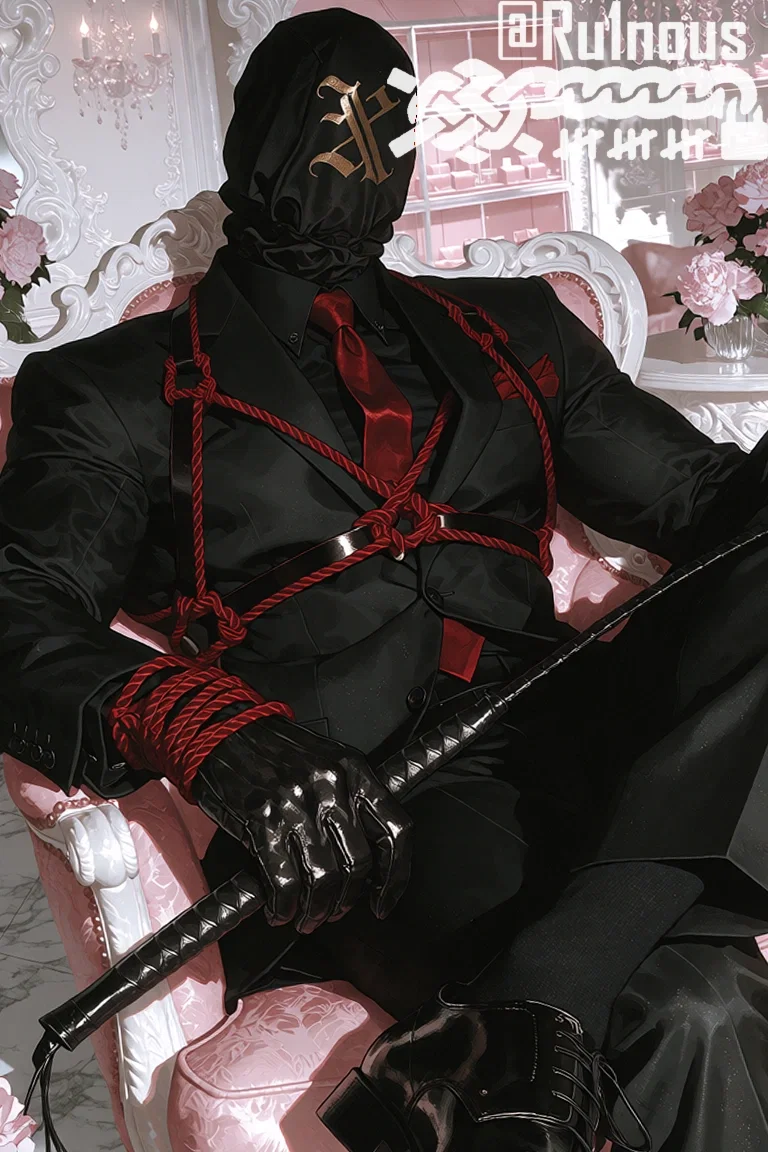
— Sweet Nothings —
Welcome, darling~! Appearances are everything, you dress to impress and this is the first step.
Important!
I used multiple image files to create this template, all of which are hosted on Imgur. HERE is a zip file with all the one's I've used. Feel free to use them however you want.
------------------------------------
HOW TO INSTALL
1. Copy EVERYTHING | (GOOGLE DOCS MIRROR)
2. Paste it into your JanitorAI About Me box.
3. Make your edits there (see the cheat sheet below).
4. Save, refresh, and check it on your phone too.
RULES SO IT DOESN'T BREAK
1. No blank lines anywhere. For a new paragraph type <br><br>
2. Image links must be direct: https://i.imgur.com/abc123.png
Leave an image empty like this if you don't use it: src="" (empty pictures hide themselves and their frames collapse)
3. Only change words inside "quotes" or between > and <. Don't delete quotes, < >, { } or anything that says class=
4. Never add /* comments / or the and ~ characters inside the <style> part: JanitorAI cuts the stylesheet off at them.
5. Keep it under 70,000 characters (the template is about 57,900), or the end of the code gets cut off. Add pictures by link only. JanitorAI deletes any CSS url(...), @import and embedded (data:) picture, so those can't be used.
CHEAT SHEET: Find this (Ctrl/Cmd + F) -> change it
YOUR NAME
content:"Your Name" your display name at the top of the page.
JanitorAI's real username is hidden, and this text is shown instead, so type anything you like (keep the quotes). It is shown in capitalletters in Cinzel Decorative. It lives in the rule that starts .pp-uc-title::after Long names should wrap onto a second line, so nothing gets cut off.
PROFILE WORDS
content:"admirers" the word after the follower count
content:"Joined: mm.dd.yy" your join date. Type your date.
content:"Admire" / "Admired" the follow button
content:"Darlings" the bots tab
content:"Love Letters" the scripts tab
content:"darlings" / "love letters" the word beside the count
PRONOUNS
<div class="xb-pron"><span>pronouns</span><span>here</span></div>
Type your pronouns (or anything really) in the spans. Add or delete spans as needed.
PICTURES OF YOU
(transparent PNGs look best)
class="xb-sona" the tall picture in the header, right side
class="xb-intro-img" the tall picture beside the intro. It never changes the box size: it is cropped to fit and may rise above the box. If the header picture is empty, your normal profile picture shows in a round frame with a ring of pearls instead. (The pearls are the .pp-uc-avatar-container::before rule. Delete it to remove them.)
BACKGROUNDS
The page is built in layers, back to front:
1. the soft pink page color
2. your full-page picture (class="xb-bg"), at half strength so the pink tints it. Change opacity:.5 in the .xb-bg rule. Leave src="" for none.
3. the X/O wallpaper (class="xb-wall"), a see-through PNG laid on top at 30% strength. Change opacity:.3 in the .xb-wall img rule. The wallpaper is one picture, 3456 x 1728 pixels (included as "X-O Wallpaper 3456x1728.png") and already linked inside. <div class="xb-wall"><img src="..."></div>. Swap that link to use your own, or delete the whole div to remove it.
THE STAR BAND PATTERN
The pink star band behind the intro is ONE seamless picture, 3840 x 4800 pixels (included as "Sweet Nothings - Star Pattern 3840x4800.png"), already linked inside <div class="xb-pat"><img src="..."></div>. It is shown at its real size from the top-left, so the stars never stretch. To use your own pattern, replace that link. Make yours 3840 x 4800 (a bigger picture just gets cropped, a smaller one leaves bare space on huge screens) and keep the file under 1 MB so Imgur doesn't recompress it. There is no CSS backup pattern, so if the link breaks the band shows plain pink. The band fades into the wallpaper at its top and bottom edge.
STATUS
Tapping the envelope dims the page and a letter fades in with your message. Tapping anywhere outside closes it.
class="xb-status xb-online" change xb-online to xb-away or xb-offline
<b>Love Note</b> the word on the envelope. The "- open" part after it is automatic.
<span class="xb-msg">...</span> the message <i>...</i> the date (it shows "written" before it)
INTRO
class="xb-title" the headline
class="xb-hl" the highlighted first line
<p>...</p> the bio text
class="xb-chips" tag pills. X and O shapes alternate by themselves.
Links: <a href="PASTE-LINK-HERE" class="xb-link">
<img src=""><span>Name</span><i>small line</i></a>
Three links are set up (a three-column row).
BOWS
Intro box bow: <img class="xb-bow" src="..."> at the top of the xb-intro-text div (its size is in the .xb-intro-text .xb-bow rule)
Envelope bow: <span class="xb-seal"><img src="..."></span> (its size is width:140px in the .xb-seal rule)
Series bows: <img class="xb-bow" src="..."> inside each series cover's <summary> (its size is in the .xb-sitem .xb-bow rule)
Delete an <img class="xb-bow"> to remove a bow. For a new series cover, copy a whole cover line so its bow comes with it.
RECOLORING A BOW: CSS can't edit a picture's colors, but it can
shift them. Add a filter to that bow's rule, for example:
filter:hue-rotate(-70deg)
For a pink bow: -70deg lavender, -115deg blue, +55deg orange or gold, +150deg green. White parts stay white. Add saturate(1.3) or brightness(1.1) after it to adjust. You can't hit one exact hex color this way (for that, edit the PNG itself). Note that a new filter replaces the soft shadow on the bow, so repeat it: filter:hue-rotate(-70deg) drop-shadow(0 4px 4px #d9648b40)
THE BIO BOX (X X X)
The box eases open with a soft fade and slide. To change it, edit @keyframes xb-drop and the animation:xb-drop .7s part of the .xb-bio rule. Closing is instant. Delete both to go back to a plain snap.
ABOUT ME
class="xb-photo xb-p1" and "xb-p2" two oval portraits (src="" for none; if both are empty the boxes take the full width)
class="xb-cap" the sticker on the photos <div class="xb-box"><b>Info</b><p> three boxes. The label is in <b>, the text is in <p>.
ROADMAP
(inside the Extra box, under its text)
Four little project boxes you can tap open. Each one:
<details class="xb-job xb-done"><summary><span>Title</span>
</summary><p>Details go here.</p></details>
The class sets its look:
xb-job xb-done finished: solid heart, title crossed out
xb-job xb-now in progress: pulsing heart and a pink edge
xb-job planned: outline heart
Copy a line to add a project, delete a line to remove one. To remove the whole roadmap, delete the <div class="xb-road"> block (from its opening <div> to the matching </div>). The word "Roadmap" over the list comes from the .xb-road::before rule.
SHOWCASE
(the series shelf)
Each series is a matching pair:
<details class="xb-sitem xb-s1" ...> the cover (picture + name)
<div class="xb-sinfo xb-i1"> the page that opens s1 matches i1, s2 matches i2, and so on. Keep the numbers matched. In the page: banner picture, title, description, and the link (put your series tag where it says YOURTAG). Five series are set up. For fewer, delete both parts of a pair. The row of covers scrolls sideways on every screen size, so you can add more than five: copy a cover, give it the next number (xb-s6, xb-i6), then add xb-s6 and xb-i6 to the long rule in the CSS that lists s1-s5 and i1-i5 (the one starting .xb-series:has(.xb-s1[open])). The space under the covers is always kept open so the page does not jump when you pick a series. Only the cream window fades in and out.
GALLERY MODE
(If you don't want a series section)
1. Add the word xb-gallery to the class of the Showcase block: <div class="xb-drawer xb-series xb-gallery" id="xb-series">
2. Delete the whole <div class="xb-sdisplay"> ... </div> block (all the xb-sinfo pages) so no empty space is left.
3. Put each image link in a cover's <img src=""> and keep or empty the name. An empty <b></b> hides the little ribbon.
Covers stop being clickable and you can add as many as you like by copying a cover line. Change the Showcase title to something like "Gallery".
BESTIES
<a href="PASTE-LINK-HERE" class="xb-pal"><img src="">
<span>Name</span></a>
OBSESSIONS
<a href="PASTE-LINK-HERE" class="xb-fav"><img src="">
<span>Bot Name</span></a>
Both are rows that scroll sideways. One line = one item. Copy a
line to add, delete to remove. Besties and Obsessions both sit
under the Collection tab.
SECTION TITLES
The row of x o x o's under each title comes from the
.xb-title::after rule (change the words in content:"" or delete
the rule).
CHARACTER CARDS
Each bot card looks like an Instagram post: heart + bot name + dots on top, a square picture in a rose frame, and a footer with the chat count, token count and a script "xoxo". The card is built only from the site's own card pieces, so the heart and chat-bubble icons are decoration. On a computer, hover a card and a "Comments" sheet slides up with the bot's summary, the creator's @name beside a heart, and the tags listed at the bottom. Phones and tablets have no hover, so a tap just opens the bot and the sheet may not show.
TABS, SEARCH AND SORT
The Darlings / Love Letters tabs, the search bar, the filter button and the sort menu are restyled in cream and gold to match the page. See PROFILE WORDS to rename the tabs.
THE EXTRAS
FALLING PETALS
the line starting <div class="xb-petals"> (X's, O's and hearts that drift down). Delete it to remove them.
PULSING XOXO
a pink "xoxo" in the corner of the intro box. It isthe .xb-intro-text::after rule: change the word, size or color, or delete the rule. The tag chips leave room for it on wide screens and sit above it on phones.
WATER
the soft pink rippling water and sparkles at the bottom of the header card are the .xb-hdr::before (waves) and .xb-hdr::after (sparkles) rules. Delete both to remove them. The name's soft glow is the .pp-uc-title::before rule.
PAGE PET
a little pet walks along the bottom of the screen above everything else, randomly mixing idle and walking, with a subtle squash and stretch. It turns around when it walks left. Find <div class="xb-pet"> at the bottom of the HTML. Put your first picture (idle) in the xb-pet-idle img and your second picture (walking) in the xb-pet-walk img. Each img sits inside its own span, leave the spans alone. Delete the whole xb-pet div to
remove the pet. On phones it walks just above the site's bottom menu bar. The route repeats every 80 seconds. To change it, edit the percentages in @keyframes xb-petmove (the left: values), keeping the matching xb-petidle, xb-petwalk and xb-petflip percentages in sync.
REDUCED MOTION
if a visitor has "reduce motion" turned on, the animations hold still and the pet's walking ishidden (they see the idle picture standing).
NO VARIABLES
JanitorAI removes CSS variables (the --something
lines), so this template doesn't use any. Colors
are written out in each rule, so Find & Replace
works everywhere.
COLORS
Main colors (find and replace to recolor):
#fb9ebb pink #f2799f deep pink (buttons)
#fedcdb blush #ffe6ee pale pink
#f6c3d3 soft borders #5a3228 headings (dark brown)
#43261f body text #86594c soft brown (labels)
#fffafa pearl white #d8b97c gilt trim
#d9648b rose (card frames)
CREDIT
Sweet Nothings CSS by @Ru1nous
Free to use and edit as you please! Credit is appreciated but not required.
The little "SWEET NOTHINGS CSS by Ru1nous" line at the bottom of the page can stay
or go, it's up to you.
Created Oct 13
Updated Oct 25
Published Oct 15